
Azure DevOps: Work Item Statuses
Full Version Only
Choosing Excluded Statuses
Section titled “Choosing Excluded Statuses”When an agent links an existing work item, Git-Zen shows a list of the project’s work items. You can leave out work items that have certain states. For example, you may want agents to link only work items that are still in progress.
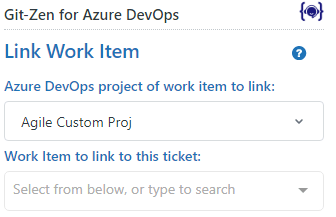
This helps you to:
- Stop agents from linking work items that your workflow does not allow, such as closed ones.
- Keep the list short, so that it is easy to search and loads quickly.
In the Git-Zen settings, find Exclude Work Item Statuses. Select the states to leave out of the list:
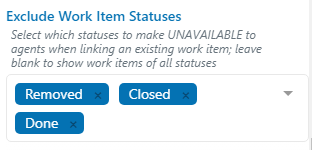
The drop-down list suggests common states: Active, Closed, Committed, Doing, Done, New, Proposed, Removed, Resolved, and To Do. If your process uses another state name, type it and press Enter.
By default, Git-Zen excludes Closed, Done, and Removed.
To show work items of every state, remove all states from this option.
A state in this list that your projects do not use has no effect.
What the List Shows
Section titled “What the List Shows”- Work items in the selected project only.
- Only the work item types that you allow, if you set any.
- Up to 10,000 work items, starting with the most recently changed. The list is sorted by work item number, newest first.
- No work items that are already linked to the current ticket.
To find a work item, type part of its number or title in the search box. Git-Zen matches each word you type.