
GitHub OAuth User
Git-Zen uses the GitHub OAuth user token to do all of its work in GitHub on your behalf.
About GitHub OAuth
Section titled “About GitHub OAuth”The OAuth user is the GitHub account that authorized Git-Zen during installation. Git-Zen stores the token securely. It uses the token only for your Git-Zen account. You can revoke it at any time.
Git-Zen uses the token to:
- Create issues
- List existing issues
- Add comments to issues
- List available repositories
- Read repository information, such as labels, milestones, assignees, and issue templates
- Add and remove repository webhooks
- List GitHub Projects and add new issues to them
Git-Zen asks for the repo and project OAuth scopes. GitHub OAuth apps cannot ask for narrower access. For more on this topic, see the open GitHub issue.
Every comment and issue that Git-Zen creates in GitHub shows the OAuth user as its author. GitHub does not let an integration act as another user. Many teams create a service account, such as “Zendesk Integration”, for this reason.
Reassign or recreate the OAuth token
Section titled “Reassign or recreate the OAuth token”To check or change the GitHub user behind the token:
-
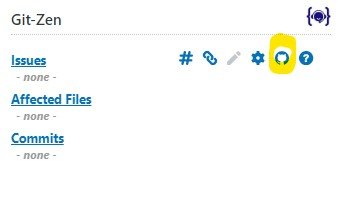
On the main Git-Zen screen, click the Webhooks menu button.
-
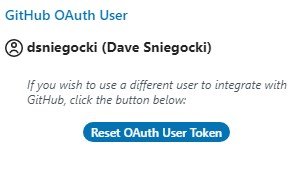
Scroll to the GitHub OAuth User section. It shows the current user name.
-
To use a different user, first sign out of GitHub as the old user. Otherwise GitHub can reissue the token to the old account.
-
Click Reset OAuth User Token and follow the prompts.
The same section has a Switch to Personal Access Token button.
Re-authorize the OAuth token
Section titled “Re-authorize the OAuth token”If the token was deleted in GitHub, create it again from the Help section:
-
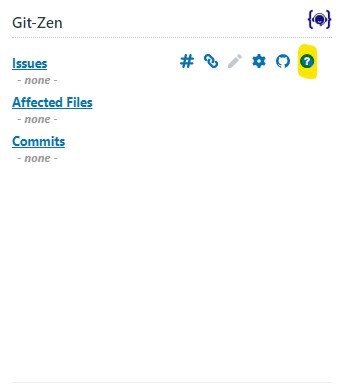
On the main Git-Zen screen, click the Help menu button.
-
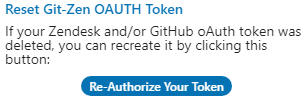
Scroll to Reset Git-Zen OAUTH Token.
-
Click Re-Authorize Your Token and follow the prompts.
Only a Zendesk administrator can authorize Git-Zen.